
Write and connect
Readable Markdown, wikilinks, backlinks and a vault tree that keeps folders, notes and attachments in view.
- Markdown and preview on the same file
- Wikilinks, backlinks and graph
- Vault tree, on the phone too
Notes and money, finally together
Thot 2.1 brings what you write and what you spend into one calm, private app. Sync your devices over your home network, with no cloud and no account.
Version 2.1.0 for Linux, Windows, macOS and Android.
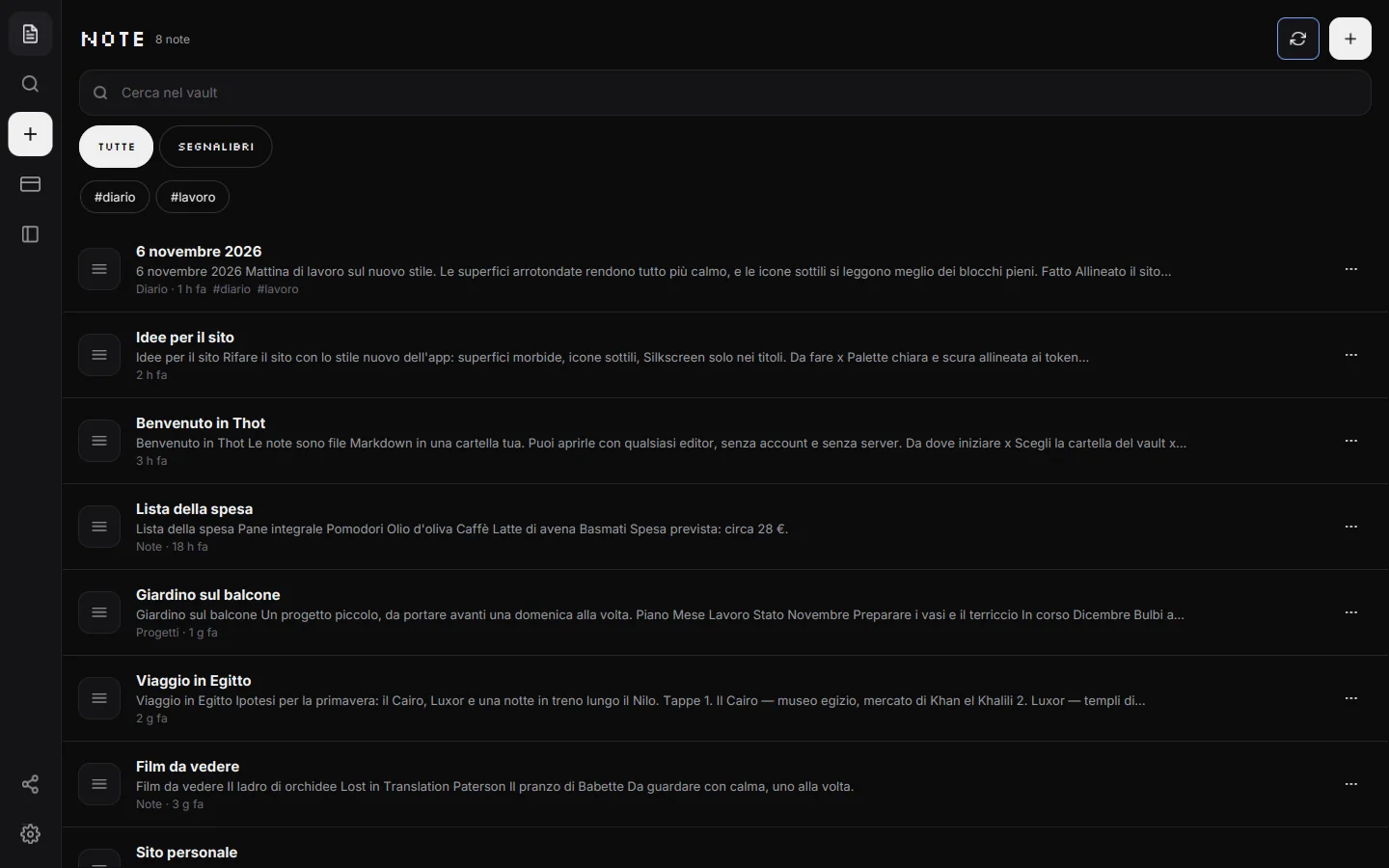
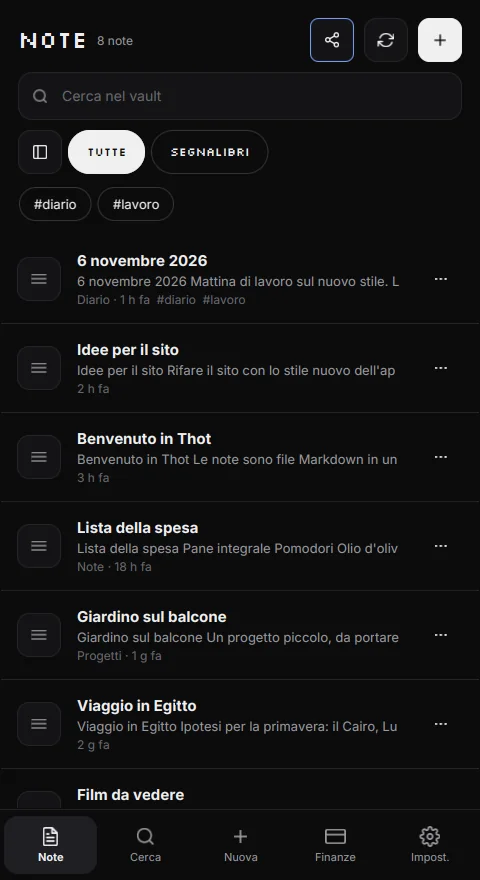
01 - What changed
2.1 brings the calm of this site into the app: rounded surfaces, thin line icons and one blue light for what is active.
Readable Markdown, wikilinks, backlinks and a vault tree that keeps folders, notes and attachments in view.
ThotSync keeps phone and computer aligned on the local network: home Wi-Fi, hotspot or Bluetooth. Files travel only between your devices.
Income, expenses, budgets and goals in readable CSV. No bank connection, no credentials, no secret format.
02 - Inside Thot
The same app on phone, tablet and computer, with an interface that adapts without changing identity.
Notes are ordered, searchable and always in sight. What you need, when you need it.
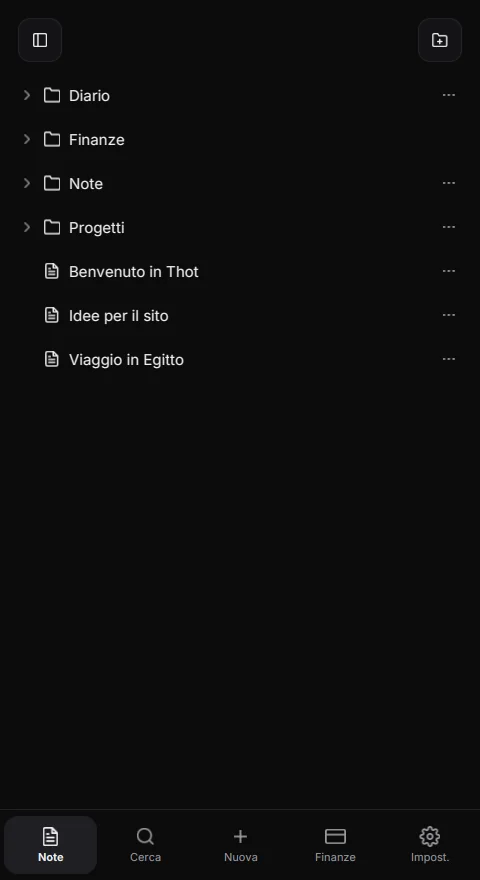
Headings, lists, tables and checkboxes: formatting does not break the flow.
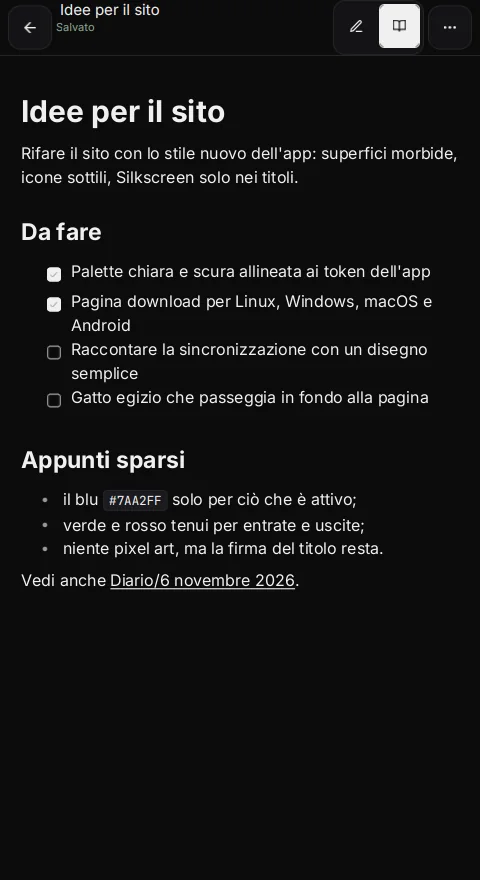
Folders, notes and attachments in one place. The tree shows the real folder structure, not a parallel database.
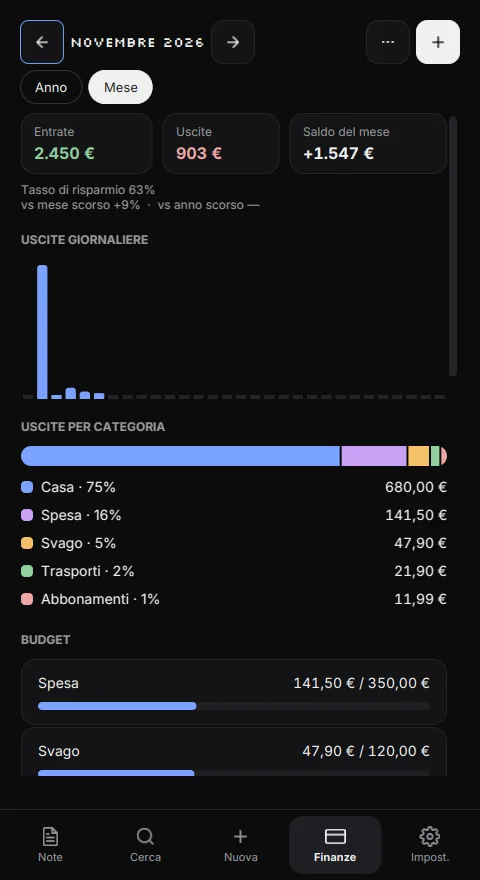
Income, expenses, categories and budgets in one clear view. No formulas to remember.
03 - Finance
Thot puts income, expenses and budgets in the same place as your notes. So you know what you have, what you spend and where you can breathe.
Thot does not connect to your bank and does not give financial advice: you enter movements yourself or import them from a file.
04 - Sync
ThotSync keeps the same vault aligned on the local network. No subscription, no server, no copies in a cloud you do not control.
The first sync needs a shared network. After that, the computer can find the phone over Bluetooth and use a temporary hotspot.
05 - Privacy
Thot has no account to create, does not ask for your email and does not send your notes anywhere. Sync is local and encrypted: files travel only between the devices you pair.
Thot/
├── Welcome to Thot.md
├── Journal/
│   └── 6 November 2026.md
├── Projects/
├── Finance/
│   ├── 2026-11.csv
│   └── .config.json
└── attachments/
You choose the folder. There is no secret format, and you can back it up with your own tools.
The PIN locks access to the app, it does not encrypt files: anyone who copies the folder can read them. Keep the vault safe like any important document.
06 - Platforms
Linux, Windows, macOS and Android. The desktop packages are not signed by a certificate authority: the system may ask for confirmation, and that is what checksums are for.
AppImage without installation, Flatpak on the Freedesktop runtime.
AppImage · FlatpakInstaller or portable build. Unsigned: SmartScreen will ask for confirmation.
Setup · ZIPTwo .zip archives. Unsigned: Gatekeeper will ask before opening the app.
Apple silicon · IntelSigned APK for manual installation; the Play listing is not public yet.
APK · Google Play
07 - Download
Four platforms, the same open files. Package links will arrive here; the checksums are already published.
Packages are not signed by a certificate authority: always verify SHA-256 before opening a file.
FAQ
The answers you need before downloading.
More questions?
No. Open Thot and write. There is no sign-up.
Into a folder you choose, on your device. You can copy it, save it to an external drive or keep it in the vault you sync.
ThotSync pairs two devices with a 6-character code and then keeps them aligned on the local network, with files encrypted. The first time needs a shared Wi-Fi or the phone's hotspot. There is no Thot cloud.
Yes. Notes and finance work offline. Sync uses the local network and does not require internet.
Notes in Markdown and finance in CSV: open text files that many programs can read. Backups are ZIP archives inside the vault.
No, the desktop packages are not signed by a certificate authority. Windows SmartScreen and macOS Gatekeeper may ask for confirmation. Check the SHA-256 checksum published here next to every file.
The PIN or fingerprint locks access to the app. It does not encrypt the files: if someone copies the folder, they can read them. That is why the vault should be kept safe outside Thot too.
The soft interface with thin icons, local Wi-Fi/Bluetooth sync, the vault tree, and packages for Windows and macOS.
The Play listing is not public yet. On Android you can install the signed APK manually, allowing installs from known sources only for as long as needed.